- Log into your WordPress Dashboard.
- Go to Posts.
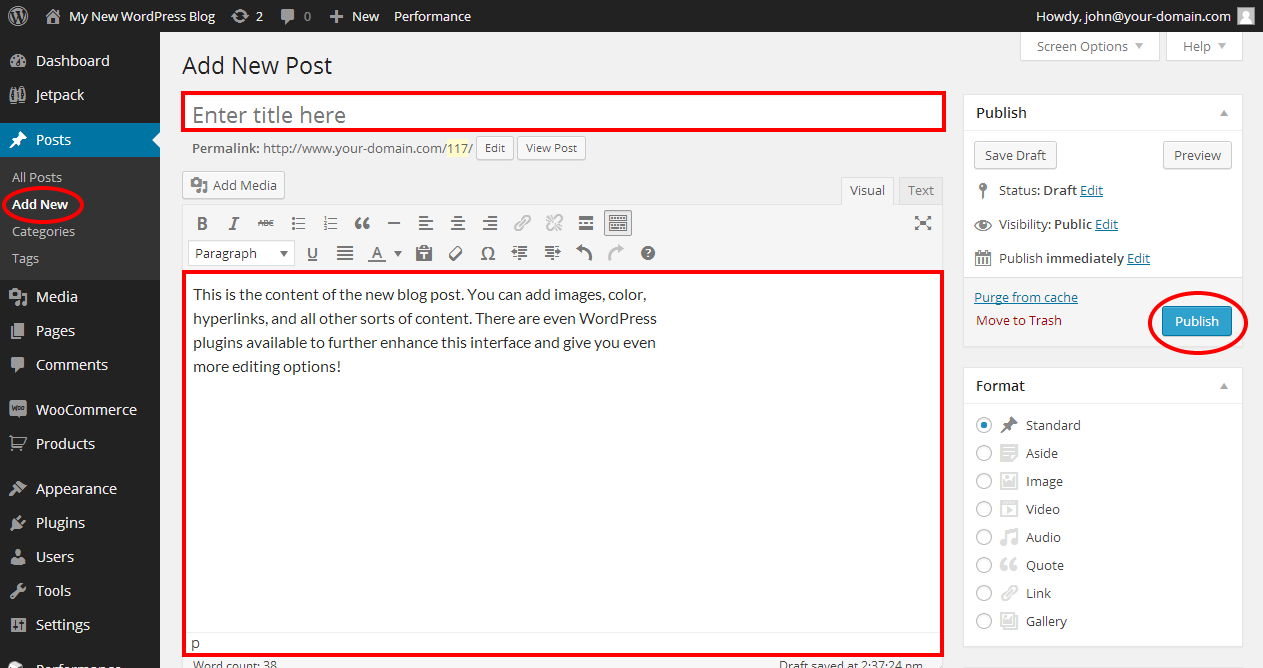
- Select Add New.
- Use the screen provided to create your post as desired.
- Click Publish when you are done creating your post. The post will be displayed on the website in your chosen category of your website.
Was this article helpful?
That’s Great!
Thank you for your feedback
Sorry! We couldn't be helpful
Thank you for your feedback
Feedback sent
We appreciate your effort and will try to fix the article